Last updated: 29 September 2026
Watching IPTV on Smart TV — directly on your Samsung or LG television — is the simplest setup: no extra box, no extra remote, just one app. This guide covers Samsung (Tizen) and LG (webOS) televisions. If you have an Android TV or Google TV (Sony, Philips, TCL, Hisense and others), follow our Android guide instead.
In this guide
Before you start
- Your login details. After you order (or request the free 30-minute trial), we send your login on WhatsApp: a username, a password and a server URL (Xtream Codes login), or an M3U playlist link for apps that need it.
- A stable connection. We recommend at least 10 Mbps for HD, 20 Mbps for Full HD and 30–40 Mbps for 4K. Check your speed with a free test such as Speedtest. A wired Ethernet connection is always the most stable.
- 5–10 minutes. Most customers are watching within 10 minutes. If you get stuck, message us and we guide you live.
How to install IPTV on Smart TV (Samsung or LG)
Step 1: Open your TV's app store
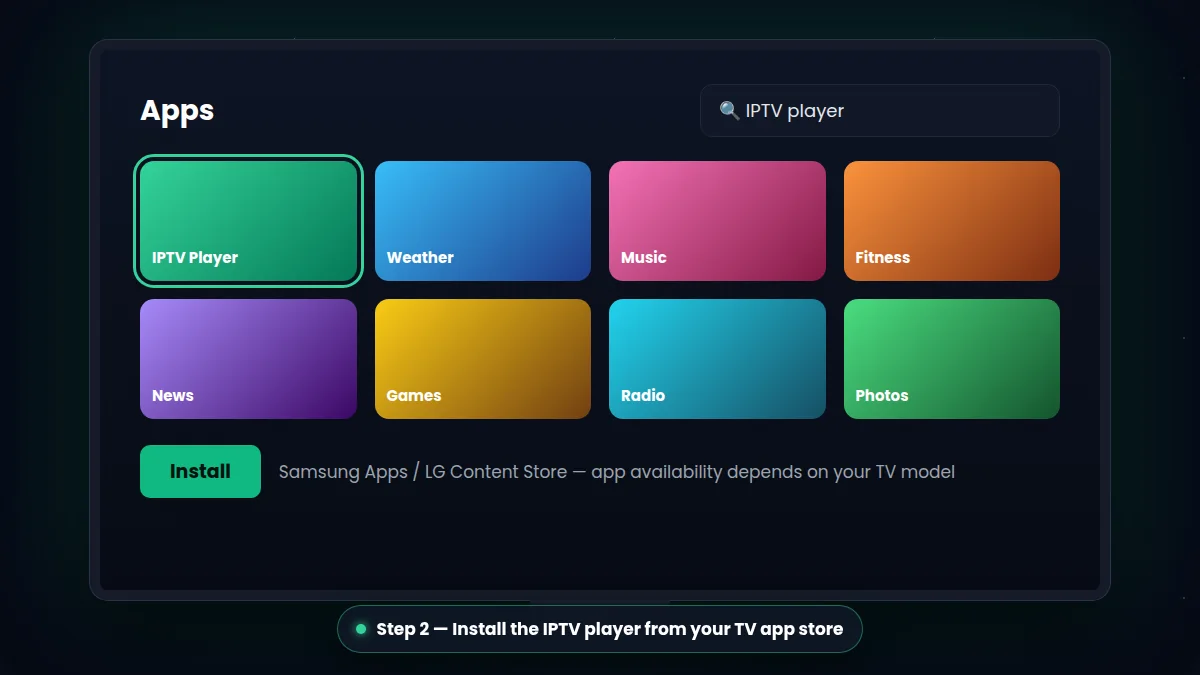
On a Samsung TV, press Home and open Apps. On an LG TV, press Home and open the LG Content Store. Make sure your TV is connected to the internet.
Step 2: Install an IPTV player app
Search for the IPTV player we recommend for your model — for example IPTV Smarters, IBO Player or SS IPTV — and install it. Availability depends on your TV model and region, so check with us first.
Step 3: Open the app and note your device details
Some players ask for a username, password and server URL. Others show a MAC address or device key on screen: take a photo of it.
Step 4: Add your IPTV Ireland login
Enter your username, password and server URL, or send us the MAC address / device key on WhatsApp so we can activate your playlist for you.
Step 5: Restart the app and start watching
Close and reopen the app. Your channels, TV guide and movies & series library load, and you can start watching straight away.
Tip: some Smart TV players need a small one-time activation fee paid to the app developer after a free period. We always tell you before you install, so there are no surprises.
Which IPTV app for Samsung and LG TVs?
- IPTV Smarters — log in with your username, password and server URL; simple menus for live TV, movies and series.
- IBO Player — activated with your TV's MAC address and device key; we set up your playlist for you.
- SS IPTV — a long-standing option for older Samsung and LG models.
App stores change from one TV model to another, so send us your TV brand and model on WhatsApp and we confirm the best app for you.
Tips for the best picture on your Smart TV
- Connect your TV with an Ethernet cable if possible — TV Wi-Fi chips are often weaker than phones or Firesticks.
- Keep your TV software up to date in the settings menu.
- For 4K channels, check your connection reaches 30–40 Mbps.
- If the app becomes slow, an affordable Firestick gives faster menus on older TVs.
Compare our IPTV subscription plans or test first with a free 30-minute trial.
Troubleshooting IPTV on Smart TV
I can't find the app in my TV store
App stores differ between TV models and years. Send us your TV brand and model and we tell you which player is available for you. On some older TVs, a Firestick is the easiest way to watch IPTV on Smart TV screens.
The app asks for activation
Some Smart TV players show a MAC address or device key and ask for activation. Send us a photo of that screen and we link your subscription to the app.
Channels load slowly
TV Wi-Fi chips are often weaker than a phone's. For the best IPTV on Smart TV experience, connect the TV with an Ethernet cable and keep its software up to date.
Once set up, IPTV on Smart TV works just like normal television: one remote, one app, all your channels.
What You Can Watch With IPTV on Smart TV