Updated 22 October 2026 · 8 min read · By the IPTV Ireland team
IPTV providers are not all built the same, and in Ireland the gap between a good one and a bad one usually shows up at the worst possible moment: ten minutes before a big match. Some services run on stable, well-maintained servers with real people answering messages. Others are a reseller panel, a logo and a disappearing WhatsApp number. This guide walks you through the nine checks we would make before paying any of the IPTV providers on the market, including us.
We have been running IPTV Ireland for Irish households for a while now, and most of the questions we get are not about channels. They are about trust: will it work on Saturday at 3pm, who do I talk to if it stops, and what happens to my money. So that is where this guide starts.
Key takeaways
- The best IPTV providers are judged on stability during live sport, not on how many channels they list.
- Always test first. A short free trial on your own TV and broadband tells you more than any review.
- Check how support works before you pay: a real WhatsApp contact that replies fast is worth more than a long feature list.
- Read the payment and replacement policy so you know exactly what happens if something goes wrong.
Table of Contents
What IPTV providers actually do
An IPTV provider delivers live TV channels and on-demand content over your internet connection instead of a satellite dish or cable. You get a set of login details (or an M3U link), you put them into a player app on your Fire TV Stick, smart TV, Android box or phone, and the channels load like a normal TV guide.
Behind that simple experience there is a chain: the servers that receive and re-stream the channels, the panel that manages subscriptions, and the business that sells to you and handles support. Some IPTV providers control more of that chain than others. That is why two services showing the same channel list can feel completely different on a busy Saturday night.
9 checks before you choose between IPTV providers
1. Stability during peak hours
Anyone can stream a quiet channel on a Tuesday afternoon. The real test is a Premier League kick-off, a big GAA championship match or a Six Nations Saturday, when thousands of people press play at the same time. Ask any provider how their servers cope with peak demand, and test during a live event if you can.
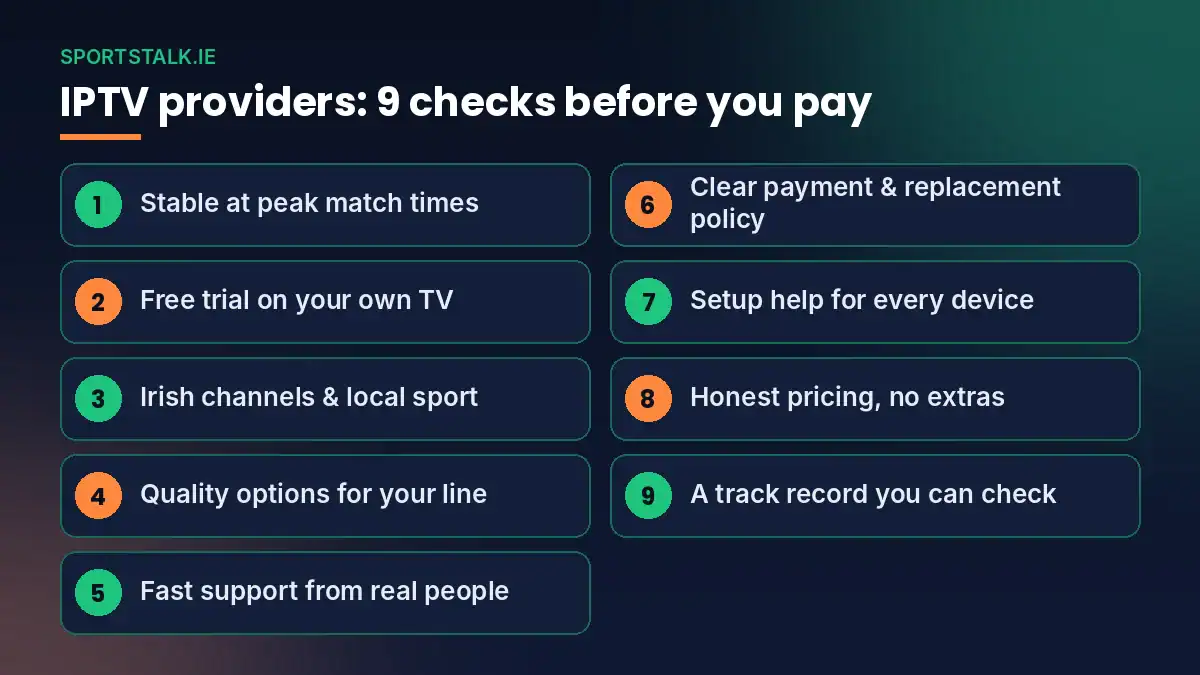
2. A free trial you can run on your own setup
Your broadband, your router and your TV are part of the picture. A trial on your own equipment is the only honest way to know. At IPTV Ireland you can request a free trial on WhatsApp and test the service before you spend anything.
3. Irish channels and local sport
Plenty of IPTV providers are built for the UK or US market and treat Irish channels as an afterthought. If you watch RTÉ, Virgin Media Television, TG4 and GAA coverage, check those channels first. Our IPTV Ireland channel list shows what is included, grouped by category.
4. Picture quality that matches your connection
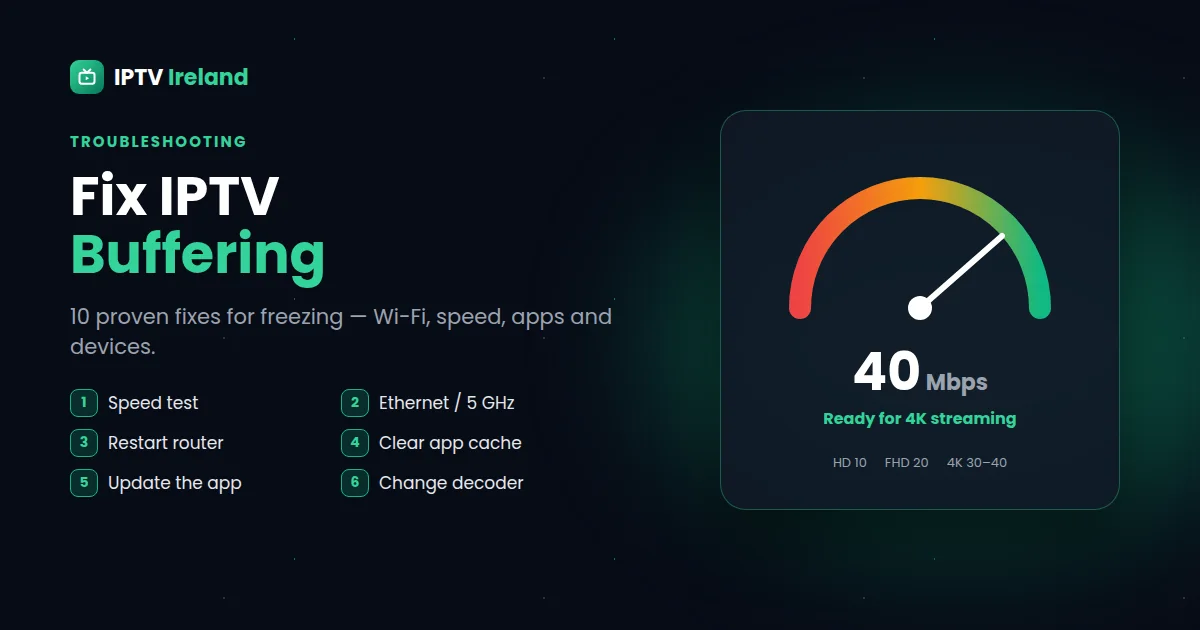
HD and 4K streams look great, but only if your line can carry them. Good IPTV providers offer several quality options for the same channel so you can drop to HD when the connection is under pressure. Run a quick test on Speedtest.net: around 15 Mbps is comfortable for HD, and 25 Mbps or more is better for 4K.
5. Support from real people
When something stops working, you want a reply in minutes, not a ticket number. Before you pay, send a question to the provider's support. How fast do they answer? Do they sound like they know the product? That first message tells you a lot about what happens later.
6. Clear payment and replacement policy
Read the terms before you buy. Some IPTV providers promise refunds they never honour; others say nothing at all. At IPTV Ireland we keep it simple and stated up front: we do not offer refunds, but if your line has a problem, we replace it instantly. You can read the full detail on our refund policy page.
7. Device compatibility and setup help
A good provider works with the devices you already own and helps you set them up. Fire TV Stick, Android TV, Samsung and LG smart TVs, iPhone, iPad and MAG boxes should all be covered. Our setup guides take you through each one step by step.
8. Honest pricing without hidden extras
Prices should be shown clearly, per plan, with no surprise fees for the EPG, catch-up or support. Be careful with prices that look far too cheap: they usually mean overloaded servers and a service that will not survive the next big match.
9. A track record you can check
Look for a provider with a real website, useful guides, a working contact and a history you can see. IPTV providers that appear and vanish within a few months leave customers with paid subscriptions and nobody to call.
Comparing IPTV providers: what to look at side by side
| What to check | Good sign | Warning sign |
|---|---|---|
| Live sport | Smooth during big kick-offs, backup streams | Freezes every time a big match starts |
| Trial | Free trial on your own device | No way to test before paying |
| Irish channels | RTÉ, Virgin Media, TG4, GAA coverage listed clearly | Vague "10,000 channels" claim, nothing specific |
| Support | Fast WhatsApp replies from real people | Email only, or no reply at all |
| Policy | Written payment and replacement terms | No terms, or promises that change after payment |
| Price | Clear plans, savings on longer terms | Prices far below the market average |
How IPTV Ireland compares with other IPTV providers
We built IPTV Ireland around the checks above because those are the things our customers actually care about. Every subscription includes one device connection, the full channel list, the TV guide (EPG) and help on WhatsApp. Our plans are:
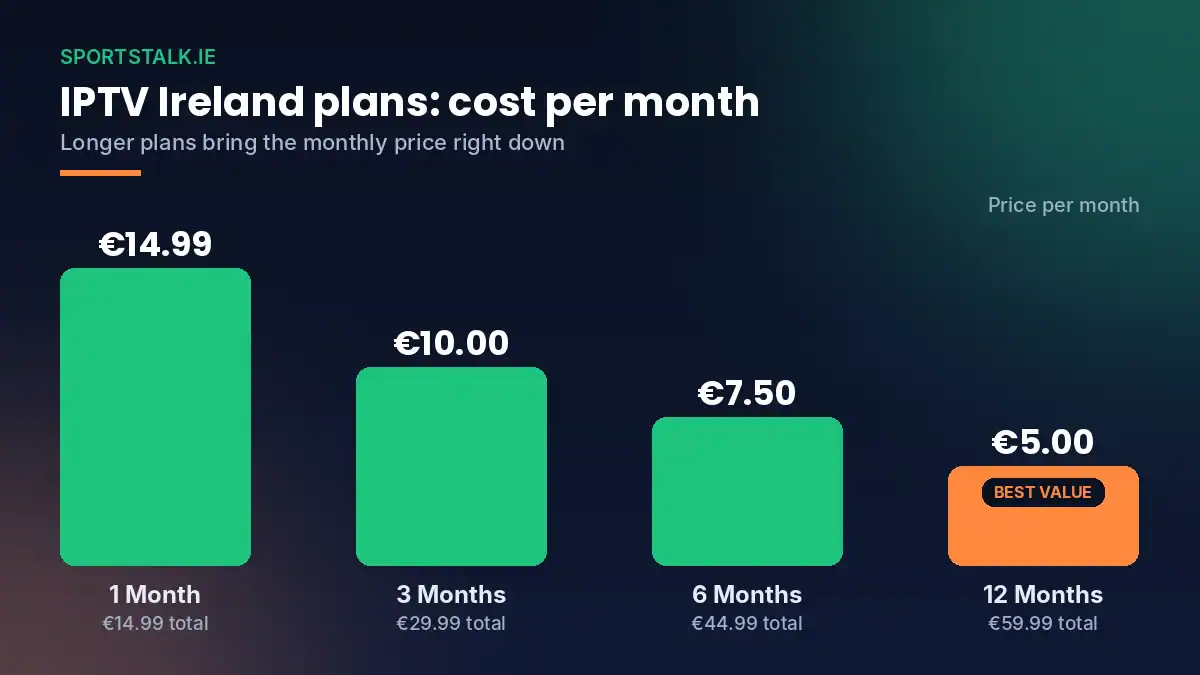
- 1 Month: €14.99
- 3 Months: €29.99 (about €10.00 per month)
- 6 Months: €44.99 (about €7.50 per month)
- 12 Months: €59.99 (about €5.00 per month, the best value)
You can see everything included on our IPTV subscription price page. If you are new to internet TV, our IPTV Ireland guide explains how it all works in plain English.
Red flags when comparing IPTV providers
Most bad experiences with IPTV providers follow the same pattern. Watch out for these signs before you hand over any money:
- Lifetime subscriptions. Nobody can promise to run servers forever for a one-off payment. These offers almost always end with the service disappearing.
- Pressure to pay immediately. A provider confident in its service will let you test first.
- No contact details. If the only way to reach them is a form that never replies, think twice.
- Copied websites. Many low-quality sellers copy text and images from other sites. Generic stock content with no local detail is a warning sign.
- Payment through unusual channels only. Be careful with sellers who refuse any form of traceable payment.
Making your choice: a simple process
If you are comparing several IPTV providers right now, this is the order we would follow:
- Shortlist two or three providers with a real website, clear prices and a WhatsApp contact.
- Message each one with the same question and compare how fast and how well they answer.
- Run a free trial on your main TV, ideally during a live match or a busy evening.
- Check the Irish channels you watch most, plus the TV guide.
- Start with a short plan if you are unsure, then move to a longer one to save money.
If you hit buffering during your test, it is not always the provider's fault. Our guide to fixing IPTV buffering covers the router, Wi-Fi and app settings that cause most problems.
How providers handle big match days
Match days are where IPTV providers win or lose customers. On an ordinary evening a server might be serving a few hundred people. Ten minutes before a big Premier League game, an Ireland rugby international or an All-Ireland final, that number can jump many times over in a few minutes. Everyone presses play at once, everyone zaps between the same handful of channels, and every weakness in the service shows up at the same moment.
The better IPTV providers prepare for this in three ways. First, they do not oversell: they keep the number of active customers in line with what their servers can carry. Second, they keep backup sources for the most-watched sports channels, so a problem with one feed does not mean a black screen for everyone. Third, they have people watching the service during big events, ready to switch sources or answer messages as soon as something goes wrong.
You cannot see any of that from a website, which is why we always recommend testing on a real match day. If you request a free trial from us, ask for it on the day of a fixture you care about. That one hour of live sport will tell you more about us, or any other provider, than a week of quiet evenings.
Questions to ask providers before you pay
A short conversation before you buy says a lot about the people behind a service. These are the questions we would ask any of the IPTV providers on your shortlist, and the answers you should expect from a good one:
- "Which Irish channels do you carry?" A good provider names them and can point you to a full channel list, not just a number.
- "How do you handle problems during a live match?" Look for a clear answer: backup streams, fast replacement, a real person on WhatsApp.
- "Which app do you recommend for my device?" The answer should be specific to your Fire Stick, smart TV or phone.
- "What happens if my line stops working?" You want to hear the actual policy, in writing, before you pay.
- "How many screens can I use at the same time?" Make sure the plan fits your household.
- "How fast is activation?" Most good IPTV providers activate within minutes.
If the answers are vague, slow or copy-pasted, take that as a sign of how support will feel after you have paid.
Setting up your IPTV provider on the most popular devices
Whichever service you choose, setup follows the same basic pattern: install a player app, enter your details, wait for the channel list and TV guide to load. Here is what that looks like on the devices Irish homes use most:
Amazon Fire TV Stick
The most popular choice in Ireland. Install a player app, add your login details and the service is ready in a few minutes. Our IPTV on Firestick guide walks you through every screen.
Samsung and LG smart TVs
Most recent smart TVs can run an IPTV player directly from their app store, with no extra box. See our IPTV on smart TV guide for the apps that work best.
Android TV boxes and phones
Android devices give you the widest choice of player apps and usually the smoothest experience. Our IPTV on Android guide covers both boxes and phones.
iPhone and iPad
Ideal for watching around the house or on the move. Follow our IPTV on iPhone guide to get set up.
Switching providers without losing a match
If your current service keeps letting you down, switching is easier than most people think. You do not need new equipment, and you do not need to wait for your old plan to run out before testing a new one. A simple, low-stress way to switch:
- Keep your current service running for now.
- Request a free trial from the new provider and add it to your player app as a second playlist.
- Compare both services side by side during the same live match.
- If the new one is clearly better, choose a plan and remove the old playlist when your old plan ends.
That way you never miss a game, and you make the decision based on what you actually see on your own TV.
Our verdict on choosing between providers in Ireland
There is no perfect service for everyone, but the pattern is clear. The IPTV providers worth paying are the ones that stay stable during live sport, carry the Irish channels you watch, answer quickly on WhatsApp and put their policy in writing. Price matters, but only after those boxes are ticked. Use the nine checks in this guide, test on a real match day, and you will avoid most of the problems people run into with internet TV.
Frequently asked questions about IPTV providers
How do I know if providers are reliable?
Test during peak hours, check how fast support replies, and read their written policy before paying. A provider that offers a free trial and answers quickly on WhatsApp is usually a safer bet than one with flashy claims and no contact.
Are cheaper providers worth it?
Very cheap services usually cut costs on servers and support, which shows up as buffering during big events. A fair price with stable streams and real support is better value over a full season.
How many devices can I use with one subscription?
With IPTV Ireland, each subscription covers one device connection at a time. If you need more screens, message us on WhatsApp and we will set up extra connections.
Can I switch providers easily?
Yes. Your player app stays the same; you simply replace the login details or M3U link with the new provider's. Most switches take less than five minutes.
Do providers work on any broadband in Ireland?
Most fibre and good DSL lines work well. Around 15 Mbps is enough for HD. A wired Ethernet connection or a strong Wi-Fi signal near the TV makes a noticeable difference.
What happens if my IPTV line stops working?
Message us on WhatsApp. We do not offer refunds, but we replace problem lines instantly so you are back watching as quickly as possible.
Do providers work outside Ireland?
Yes. Most services work anywhere with a good internet connection, which is why many Irish families abroad use them to keep watching RTÉ, TG4 and Irish sport.
How long does activation take with IPTV Ireland?
Usually a few minutes. Once your details arrive on WhatsApp, setup on a Fire Stick or smart TV takes around five minutes.
Talk to us before you choose
Comparing IPTV providers is easier when you can ask questions directly. Send us a message, tell us which devices you use and what you like to watch, and we will tell you honestly whether IPTV Ireland is the right fit, and set up your free trial if you want to test it.
Message us on WhatsApp for a free trial or view our IPTV plans and prices.